
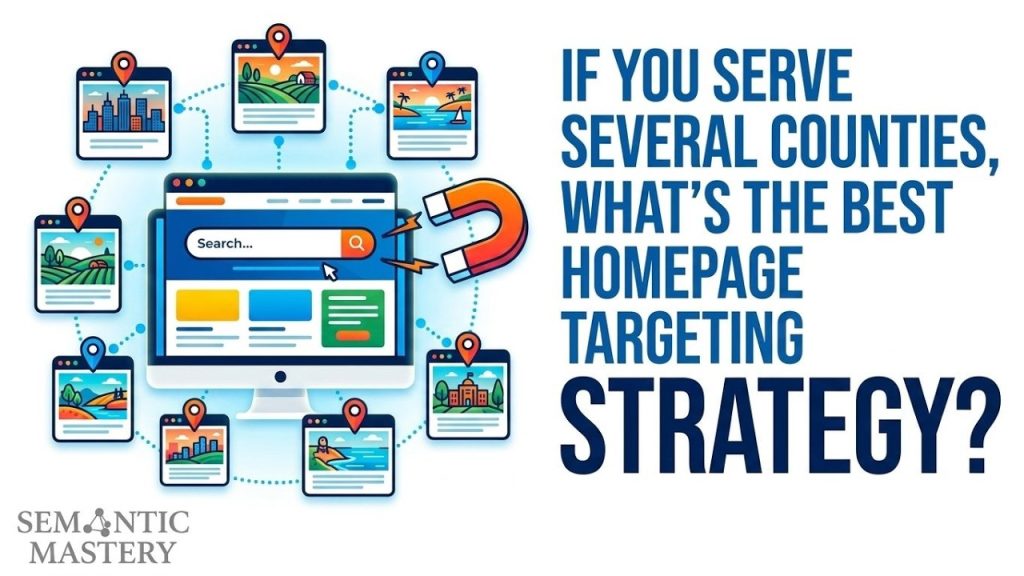
If a business serves five or six counties, the homepage should not be built around just one county because that happens to be the main office location. That creates a mismatch. The site says one thing on the homepage, then says something much broader everywhere else.
The better move is to target the larger area that includes all of those counties. That might be a metro area, a regional name, or another recognized geographic entity. The point is simple. The homepage should reflect the real service area.
Table of Contents
Why a single county homepage can send mixed signals
We see this all the time in local SEO. A company serves a wide area, but the homepage is optimized for one city or one county because that is the market they want the most. Then the service pages or location pages say they also work in other places.
That setup is weak because it is not fully accurate.
If the company operates across several counties, then the homepage should not act like the business only belongs to one of them. A homepage is the broadest page on the site. It should describe the full area the company serves, not just a slice of it.
This is even more important for a service area business. A service area is not one point on the map. It is a group of locations. So the homepage should target the area that contains that whole group.
Areas and locations are not the same thing
This is where many local SEO campaigns go wrong.
A location is a city, town, or community. An area is made up of multiple locations. If a business works across many cities and counties, then we are no longer talking about one location. We are talking about an area.
That sounds obvious, but a lot of websites are still built the old way:
- Homepage targets one city
- Service pages also target one city
- Other pages mention lots of nearby cities
That creates a messy signal. It is much cleaner to set the homepage around the broader region, then use supporting pages to cover the individual cities, towns, or counties inside that region.
Got SEO Questions? Get answers every week at 4pm ET at Hump Day Hangouts. Ask questions ahead of time, or live – just go to: https://semanticmastery.com/hdho (bookmark this!) 10+ years of insights given every week!
Get your checklist to help get better results with GBPs, faster.
Need DFY services for you Local SEO projects? Head over to Semantic Links.
The Russian doll way to think about geography
A simple way to understand this is to picture those nesting dolls where each one fits inside a bigger one.
Geography often works the same way:
- City or town
- County
- Region
- Larger metro area
- Sometimes an even larger multi-state region
Each level contains the one below it.
So if a business serves several counties, the question is not, “Which county should we pick for the homepage?”
The real question is, “What recognized area contains all of these counties?”
Once we find that answer, we usually have the right homepage target.
How to find the right regional entity
There is a quick way to research this. Start with one city or county from the service area and work upward.
Step 1: Pick one city or county
Choose any city or county the business serves. It does not have to be the biggest one. It just needs to be inside the service area.
Step 2: Identify the county
If you started with a city, find the county it belongs to.
Step 3: Find the region that county belongs to
Most counties are part of a known region, metro area, or similar grouping. In many cases, that shows up right near the top of a basic reference page.
Step 4: Check the list of counties in that region
Now look at the region itself. Does it include the other counties the business serves? If yes, that may be the broad homepage target you need.
Step 5: Confirm it matches the full service area
The goal is not to guess. The goal is to confirm that the broader area really contains the five or six counties in question.
Once that checks out, the homepage can be optimized around that larger area with confidence.
A simple example of the hierarchy
Take a place like Fairfax in Virginia. The hierarchy can move from the city level to Fairfax County, then up to Northern Virginia, then up again to the Washington metropolitan area.
That gives us a chain of related geographic entities:
- Fairfax
- Fairfax County
- Northern Virginia
- Washington metro area
The right homepage target depends on which level accurately includes the full service area. If a company serves several counties across Northern Virginia, then targeting only one county would be too narrow. In that case, Northern Virginia may be the better fit.
If the service area reaches wider across a larger metro region, then the broader metro entity might make more sense.
Why this approach works better
There are two big reasons this works.
1. It is accurate
If the company serves all the counties within a known region, then saying so on the homepage is true. That matters. Search engines want clear, consistent, and believable information.
When the homepage matches the real service area, the website becomes easier to understand.
2. It lines up with existing geographic relationships
Search engines already understand that cities belong to counties and counties belong to regions. When we optimize using that same structure, we reinforce a map that already exists instead of trying to force a false one.
That is a smarter strategy than trying to make a multi-county business look like it is only tied to one city because that city has the highest search volume.
What the homepage and supporting pages should do
Once the homepage is set to the broader area, the rest of the site can support it in a logical way.
- Homepage: Target the broad region, metro area, or area entity that contains the full service area.
- Service pages: Focus on the services while staying aligned with the broader area when needed.
- Location pages: Target the individual cities, towns, or counties within the service area.
This creates a clean structure. The homepage explains where the business operates overall. The location pages handle the smaller markets inside that area.
That makes more sense for people, and it makes more sense for search engines too.
Why old city-first tactics are fading out
A lot of older local SEO tactics were built around pushing one city as hard as possible. That can still show up on many websites, but it often feels forced now.
If a company really works in many places, then pretending the business is centered on one city can look unnatural. Search engines are much better at checking entity relationships, service areas, and consistency across a site.
So instead of trying to trick the system with narrow city targeting on every core page, we are usually better off building a site structure that reflects reality.
Logical area optimization beats messy targeting.
A quick checklist for multi-county homepage SEO
- List every county the business serves
- Start with one city or county and work upward
- Find the recognized region or metro area that contains them
- Make sure that region truly covers the full service area
- Optimize the homepage for that broader area
- Use location pages for the individual markets inside it
If you want more help with local SEO systems, the Local SEO Toolkit and these agency resources are useful places to start.
Final thought
If a business serves several counties, the homepage should represent the full area, not just the office county or the favorite city. That is the cleanest way to present the business online.
When we optimize for the right area entity, we are not stretching the truth or forcing relevance. We are matching the website to the real world. And that is usually where the best local SEO starts.
FAQ
Should the homepage target the main county if that is where the office is located?
Not if the business serves many counties. In that case, the homepage should target the broader area that includes the full service area. The office county can still be mentioned, but it should not define the whole homepage if the business works far beyond it.
What if there is no obvious metro area?
Then look for another recognized regional entity. Some areas are grouped by region names instead of major metro areas. The goal is to find the geographic label that accurately contains the counties being served.
Can city pages still be used if the homepage targets a region?
Yes. That is usually the right setup. The homepage covers the larger area, and city or county pages handle the smaller local markets within that area.
How do we verify the correct area entity?
Start with one city or county, then move up the geographic chain. Check whether the larger region includes all the counties in the service area. If it does, that is likely the right homepage target.
Why not optimize every main page for the top city?
Because that can create a false signal when the company actually serves many places. A better approach is to let the homepage describe the full service area and let supporting pages focus on specific cities or counties.